The hours your team re-types every day: automation for small business
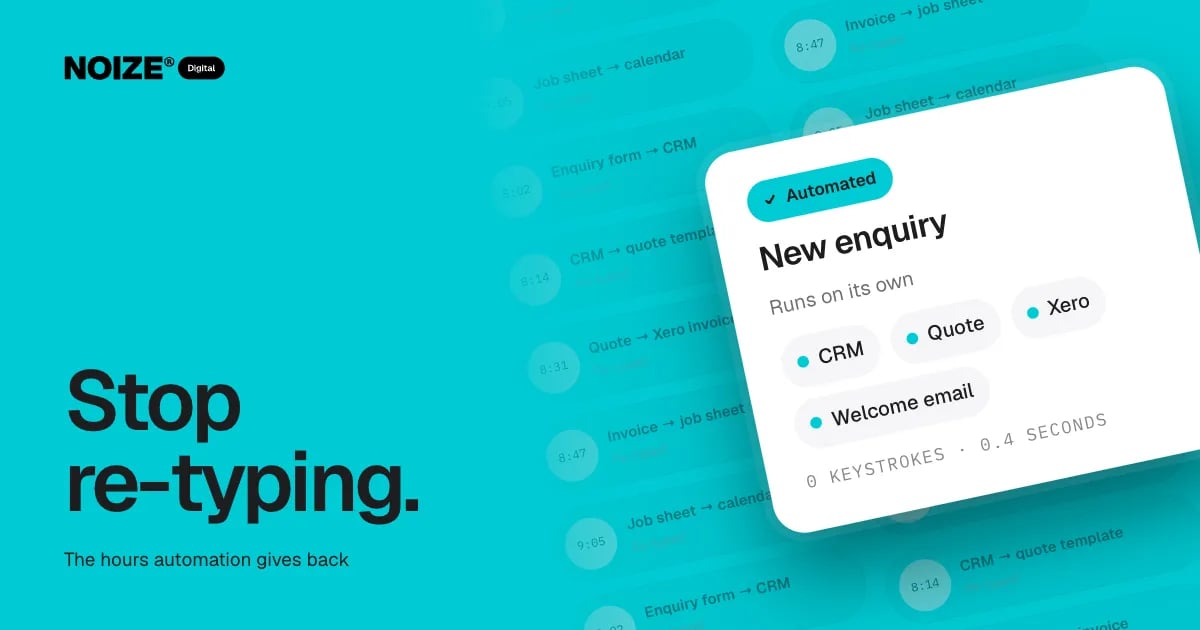
At 8:02 an enquiry arrives through the website. Someone copies it into the CRM. At 8:14 they copy the details into a quote template. At 8:31 the accepted quote is re-typed as an invoice in Xero. At 8:47 the invoice becomes a job sheet. At 9:05 the job goes into the calendar. Then the next enquiry arrives and it starts again.
None of this work is difficult. All of it is repetitive, slow and prone to mistakes. In many small businesses, it adds up to hours every day, done by people who were hired for something more valuable.
The short version
- Automation connects the tools you already use so information is entered once and flows everywhere it is needed.
- Start with frequent, rule-based tasks like enquiry handling, quoting, invoicing, scheduling, follow-ups and reporting.
- Pilot small, measure the time saved and keep people involved where judgement matters.
The short version
Automation connects the tools a business already uses so data is entered once and flows everywhere it is needed. The best places to start are the tasks done most often and enjoyed least: enquiry handling, quoting, invoicing, scheduling, follow-ups and reporting. Start small, measure the time saved and keep a human where judgement matters. NOIZE Digital builds automation around how the business actually runs.
Where the hours go
01Enquiry handling
Copying web form details into a CRM or spreadsheet, then sending a manual acknowledgement.
02Quoting
Re-entering customer and job details into a quote template, then chasing approval.
03Invoicing
Re-typing accepted quotes or completed jobs into accounting software.
04Scheduling
Moving jobs into calendars, notifying staff and sending reminders to customers.
05Follow-ups
Remembering to check in after a quote, after a job or after a purchase.
06Reporting
Exporting data from several systems every month and assembling it in a spreadsheet.
> I've built ecommerce businesses where automating four manual steps between an order and a shipped parcel freed up more time than hiring another person would have. The team didn't lose jobs. They got their afternoons back for work that grew the business.
What to automate first
Pick tasks that are frequent, rule-based and annoying. A good test: if you could write the steps on a sticky note, it can probably be automated. If it needs judgement, keep a person involved and automate the parts around them.
- Start with the enquiry. A form that creates a CRM record, sends an instant acknowledgement and notifies the right person is usually the fastest win.
- Then connect quoting and invoicing. Accepted quotes that create invoices automatically remove a major source of errors.
- Then add reminders and follow-ups. Appointment reminders, quote follow-ups and review requests that run on schedule.
- Finally, automate reporting. Dashboards that update themselves replace monthly spreadsheet marathons.
Keeping it sensible
Automation should simplify the business, not add a fragile web of tools. Build on the systems you already use where possible. Document what each automation does. Test it properly. Review it when processes change. And keep humans where they add value: the first real conversation with a customer should still feel personal.
“Things really got moving beyond our expectations.”
An illustrative example
Imagine a trades business with two office staff spending most mornings moving data between the website, a CRM, a quoting tool and Xero. Connecting them means enquiries create records automatically, quotes pull customer details, accepted quotes become invoices and jobs land in the calendar with an SMS to the customer. The office team spends their mornings calling customers instead of copying them, and errors in invoices largely disappear.
Where Digital fits
NOIZE Digital designs and builds automation and integrations, including AI where it genuinely helps. Sales defines the pipeline and follow-up rhythm the automation should follow. Books benefits from cleaner data flowing into Xero. IT keeps the systems secure and looked after. See digital.noize.com.au.
Where to start this week
Ask each person in the team to list every task they did twice this week by copying information from one place to another. Add up the minutes. Most businesses are surprised by the total, and the list itself is a ready-made automation brief.
Signs your business is ready for automation
The same information is typed into more than one system. Staff keep personal spreadsheets to track work. Customers wait for quotes because someone has to assemble them by hand. Invoices go out late or with errors. Follow-ups depend on someone remembering. Monthly reporting takes days. Any two of these usually mean automation will pay back quickly.
Measuring the return
Before automating, time the current process. Afterwards, time it again. Multiply the minutes saved by how often the task happens and the hourly cost of the people doing it. Add the value of fewer errors and faster customer responses. Most well-chosen automations pay for themselves within months, and keep saving after that.
Avoiding fragile automation
The risk with automation is building a tangle of connections nobody understands. Keep it simple: fewer, well-documented automations on reliable platforms, with alerts when something fails. Review them when processes change. Digital builds automations to be maintainable, and IT monitors them so problems are caught before customers notice.
Questions to ask before you start
Ask which tasks are repeated most often. Ask which ones involve copying information between systems. Ask where errors happen. Ask which tasks staff dislike most. Ask which tools you already pay for that could connect. The answers form the automation brief.
Related reading
Common questions
What can be automated in a small business?
Common examples include enquiry handling, quoting, invoicing, scheduling, reminders, follow-ups and reporting.
Do I need new software to automate?
Often not. Many automations connect the tools you already use.
Is automation expensive?
Many automations pay for themselves quickly in time saved. We scope them so the most valuable ones come first.
Will automation make the business feel impersonal?
Not if it is used well. Automate the admin and keep people for the conversations that matter.
Can you automate with Xero?
Yes. Xero connects well with CRMs, quoting tools and ecommerce platforms.
What happens if an automation breaks?
Well-built automations include alerts, so failures are spotted quickly. NOIZE IT can monitor them as part of ongoing support.
Which automation tools do you use?
We prefer to build on the platforms you already use where possible, and recommend additional tools only when they add clear value.
How long does it take to automate a process?
Simple automations can be live in days. More complex workflows across several systems are planned and delivered in stages.
Can automation help with customer reviews?
Yes. Automated review requests sent after a completed job or purchase are a simple, effective starting point.
What is the difference between automation and integration?
Integration connects systems so data moves between them. Automation uses those connections to run tasks without manual effort. They usually work together.
Is it safe to automate customer communication?
Yes, when messages are reviewed, accurate and personal where it matters. Routine confirmations and reminders are ideal starting points.
Your first strategy conversation is on us.
Have a chatThe brand for business.